 Family Weather
How to Keep an Eye on the Weather Where Your Parents Live
Published November 13, 2026 by Gridwhistle.
When your parents live in another city, their weather is part of their day: a snowy morning, a heat wave, a gray week that won't end. Knowing about it gives you something easy to talk about, and a reason to call.
Set it up once
A few minutes of setup means their weather is always one glance away.
- Apple's Weather app. Open the list of locations, search for their city and add it. Swipe between your forecast and theirs. You can also add a Weather widget to your Home Screen and set its location to their city.
- The Clock app. Tap World Clock, then the plus button, and choose their city. Now you know what time it is there without doing the math.
- Family Weather. Open Family, tap Add someone and choose their city. Your parents don't need to install anything. If they do have the app, send them your family list from Family so they can follow everyone in one tap.
Their day at a glance
The best setup is one you see without trying. Put their weather where your eyes already go.
- On your Home Screen. Family Weather's Sky Clock widget shows everyone's time of day on one dial, and who's up for a call. You and one person are free. Everyone else comes with Family Weather Plus.
- On iPad. The Family Wall is home on iPad: a living pane for each person, with their sky and local time. A kitchen iPad is a lovely place for it.
- On Apple Watch. Each person has a page with their sky, their time and a button that writes them a text. Open Family Weather on your iPhone once and everyone appears on Apple Watch.
Know before rain reaches them
A text that says "Rain is on its way to you, take an umbrella" shows you're thinking of them. Here is how to see it coming.
- Check the hourly forecast for their city in any weather app before their usual walk or errands.
- The rain clock in Family Weather shows the coming hour as a dial: when rain starts, how heavy it gets and when it stops. Minute-by-minute rain is available where Apple Weather offers it.
- Heads-ups, with Plus. Family Weather Plus tells you when rain is about to reach someone you love, with a button to text them.
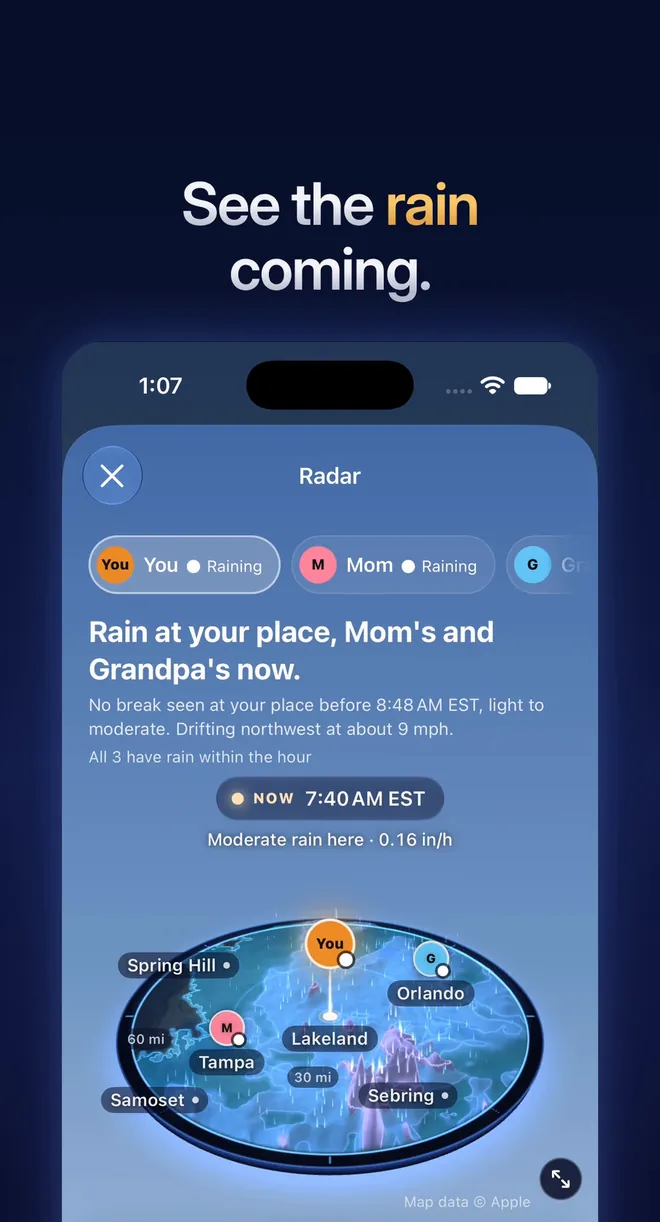
- The 3D radar, in the US and Canada. Where radar reaches in the United States and Canada (not Hawaii, Puerto Rico or the far north), the free radar shows the rain around each person, with a plain line like "Rain reaches Mom in about 20 min."
Family Weather is a way to stay close, not a safety service. For storms and emergencies, your parents' local weather service and official alerts come first.
Make it a reason to call
The weather is the easiest topic in the world. Nobody has to have news. A few ideas:
- Call on the first snowy morning and ask if they're staying in.
- After a week of rain, ask what they'll do with the first sunny day.
- If it's much warmer at theirs, say you're jealous. If it's colder, offer sympathy.
- In Family Weather, Compare puts their day next to yours and suggests a good time to call.
- Tap Send beside their name and a short text about the weather is ready to go.
- In Messages, send your sky as a sticker. It's a little picture of your day.
Privacy
Family Weather has no account, no ads and no tracking, and we run no servers. Your family list stays on your own devices unless you share it. Forecasts come from Apple Weather, which gets a location rounded to about 1 km. For your parents, that's the city you chose for them. In the US and Canada, past highs and lows come straight from the national weather services, and the radar from Canada's. The privacy policy lists every service the app asks, and what each one gets.
Family Weather puts the weather where your family lives next to yours, with the time there. It's free for you and two people, with optional Family Weather Plus for everyone else you love.
Download Family Weather on the App Store for iPhone, iPad and Apple Watch.